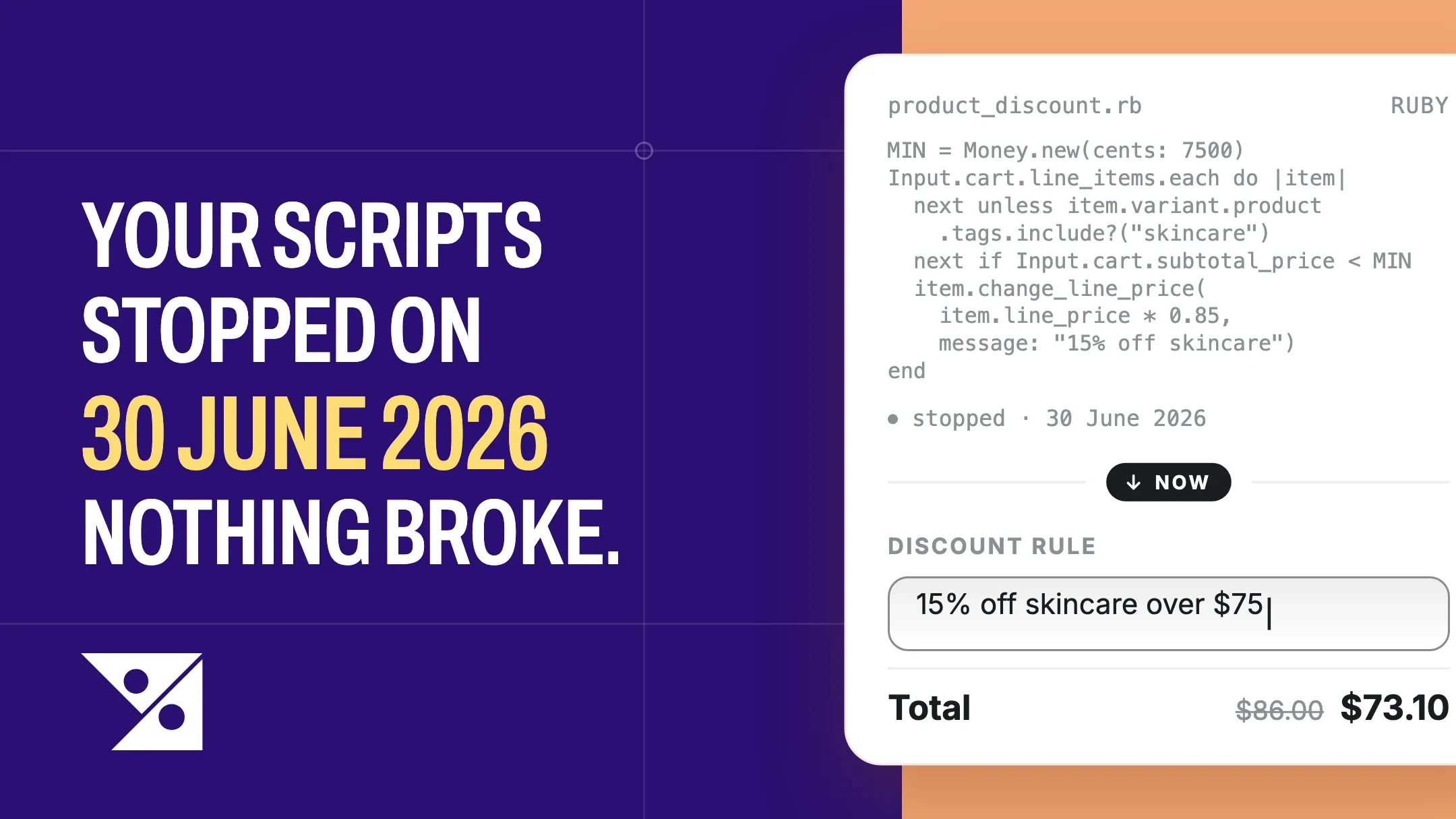
Your Scripts stopped running on 30 June 2026. Nothing broke that day — no error, no downtime, no angry email. Checkout kept working exactly as before, and every order since has gone out at whatever price Shopify works out without them.
That’s the hard part. A Script that stopped giving a discount looks exactly like a store that never had one. If yours gave VIP customers $20 off skincare, they’ve been paying full price since the start of July — and almost none of them wrote in; they paid, or they left.
The rebuild is smaller than it looks, and the first two steps cost nothing.
The 30-second answer
Scripts stopped on 30 June 2026 and can’t be brought back. Rebuilding them is four steps, and the first two are free:
- Work out what you lost. Your June orders tell you — no special tool needed.
- Cross off what Shopify now does on its own. For many stores that’s most of the list, at no cost.
- Rebuild the rest. An App Store app on any plan, or a developer if you’re on Plus.
- Test it against a June order before you switch it on.
Allow an afternoon. Most of that is reading your own orders.
Did this happen to your store?
You’re affected if somebody once wrote Ruby into the Script Editor app — often an agency, years ago, no longer around. If you’re not sure, these are the signs:
- Orders since 1 July with no discount line where there always used to be one.
- A promotion this summer that almost nobody seemed to redeem.
- Wholesale or trade customers paying your retail prices.
- A margin that went up and nobody can explain why. You kept money you meant to give away.
First: find out exactly what you lost
Before you price a quote or install anything, write down what your Scripts were actually doing. You don’t need the Script Editor for that — which is just as well, because the app has been withdrawn and can’t be reinstalled.
Your own orders hold most of the answer. Scripts wrote their own wording onto every order they touched, so a June order shows you what was being given away and what it was called.
- Go to Orders and set the date range to June 2026.
- Open several that carry a discount. Note the name on each discount line — that’s the name your Script gave it — and the amount it took off.
- Now find June orders with no discount, and put them beside the discounted ones.
Step 3 is the one that matters. An order shows you the discount; it doesn’t show you the condition that triggered it. That condition lives in the gap between the two piles — the discounted carts all held a skincare item, say, or all belonged to customers carrying the same tag. Two or three comparisons and the rule falls out.
Write each one down as a plain sentence: “VIP customers got $20 off skincare.” That sentence is what you rebuild from, and it’s what you’d hand a developer.
One limit: this works for discounts, not for a Script that hid a payment method or changed shipping options — those leave little trace on an order. Ask whoever built those, or check the Scripts customizations report if the Script Editor app is still on your store. Don’t go hunting for it; the app has been withdrawn and many stores no longer have it.
About the orders that already went out
Go to Orders, set the date range from 1 July to today, and look for the discount line that should be there and isn’t. Exporting to CSV and sorting by discount amount is quicker if there are a lot.
What you do next is a judgement call, not a rule. A shopper who never knew about a promotion hasn’t lost anything and doesn’t need an email. A wholesale or trade customer who has been paying retail prices for two months is a different conversation, and it’s better to have it before they notice.
Either way, find the list first. It’s a twenty-minute job that tells you what the gap actually cost.
How much of it does Shopify now do for free?
This is the step most migration advice skips, and it’s the one that saves money.
Native discounts have grown a lot since most Scripts were written. A rule from 2021 is often something the admin now does with a form. Go down the list you just wrote and cross off everything that appears here before you pay anybody:
- A percentage or fixed amount off products, a collection, or the whole order — Amount off products or Amount off order.
- Buy X get Y, including free-gift shapes — Buy X get Y.
- Free shipping over a threshold — Free shipping, with a minimum.
- A discount only certain customers get — a segment under Customers → Segments, chosen under Eligibility.
- A minimum spend, or a minimum quantity — Minimum purchase requirements. One or the other, not both.
- Two promotions running together — Combinations, ticked on both discounts. One side isn’t enough, which is the most common reason a discount gets refused.
- Start and end times — Active dates. They run on your store’s timezone, not your shopper’s.
For a lot of stores, that’s most of the list. If everything you lost is on it, you’re finished — build them in the admin, run the test at the bottom of this page, and you never needed an app at all.
Rebuilding the VIP rule everyone had
Nearly every Scripts store had a version of this one.
The rule, in plain words: VIP customers get $20 off skincare. In the Script Editor it looked roughly like this — you may recognise your own:
VIP_DISCOUNT = Money.new(cents: 2000)

if Input.cart.customer&.tags&.include?("VIP")
  Input.cart.line_items.each do |item|
    next unless item.variant.product.tags.include?("skincare")
    item.change_line_price(
      item.line_price - VIP_DISCOUNT,
      message: "20 dollar off for VIP customers"
    )
  end
end

Output.cart = Input.cart
You do not need any of that any more, and you don’t need an app either. Here it is in the admin:
- Customers → Segments → Create segment. Pick the Customer tags filter, choose
VIP, and save it under a name you’ll recognise. - Discounts → Create discount → Amount off products, and set the method to Automatic discount.
- Under Discount value, choose Fixed amount and enter 20.
- Under Applies to, choose Specific collections and pick SKINCARE — the native stand-in for the product tag your Script was reading.
- Tick Only apply discount once per order, unless you meant $20 off every eligible item.
- Under Eligibility, choose Customer segments and pick the segment from step 1.
- Open Combinations and decide what this may run alongside. It starts at won’t combine with anything, and the other discount has to allow yours back. Then Save.
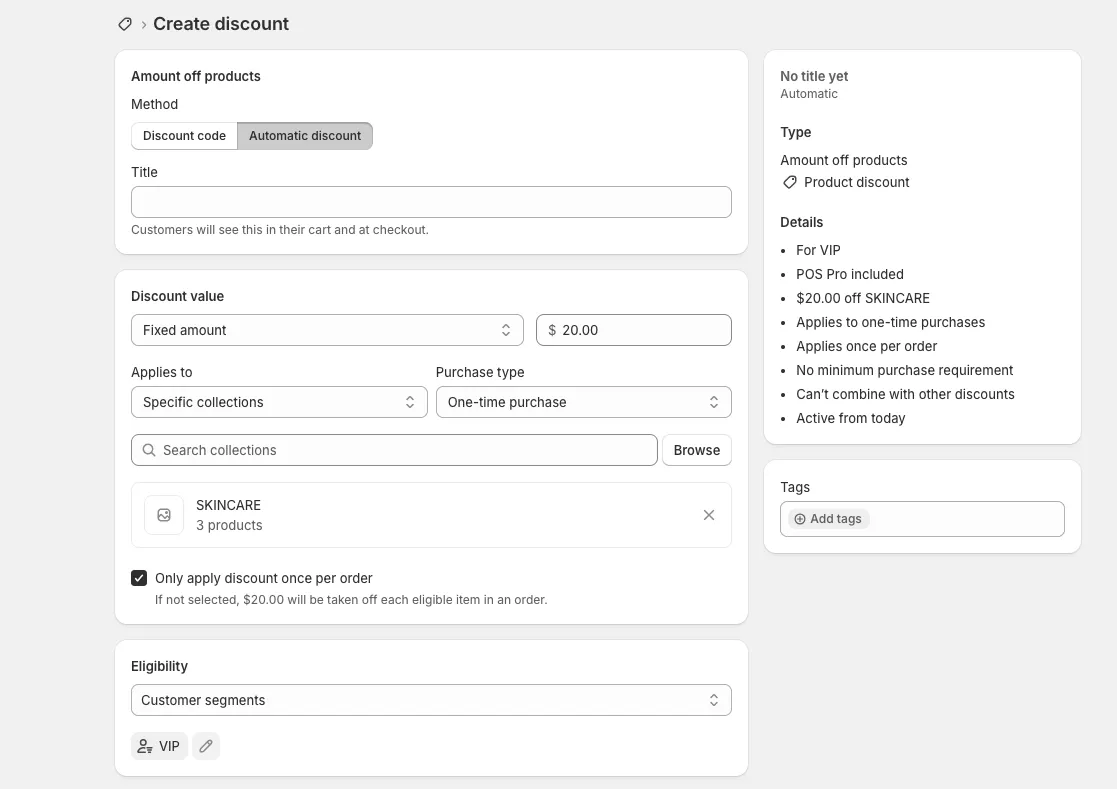
That’s the whole rule, rebuilt, for free. If your Script was this one, you’re done — test it with the last section on this page.
Where the free rebuild stops
The rule above had two conditions — a customer segment and a collection — and the admin handled both. What it can’t handle is one rule that has to give two different answers.
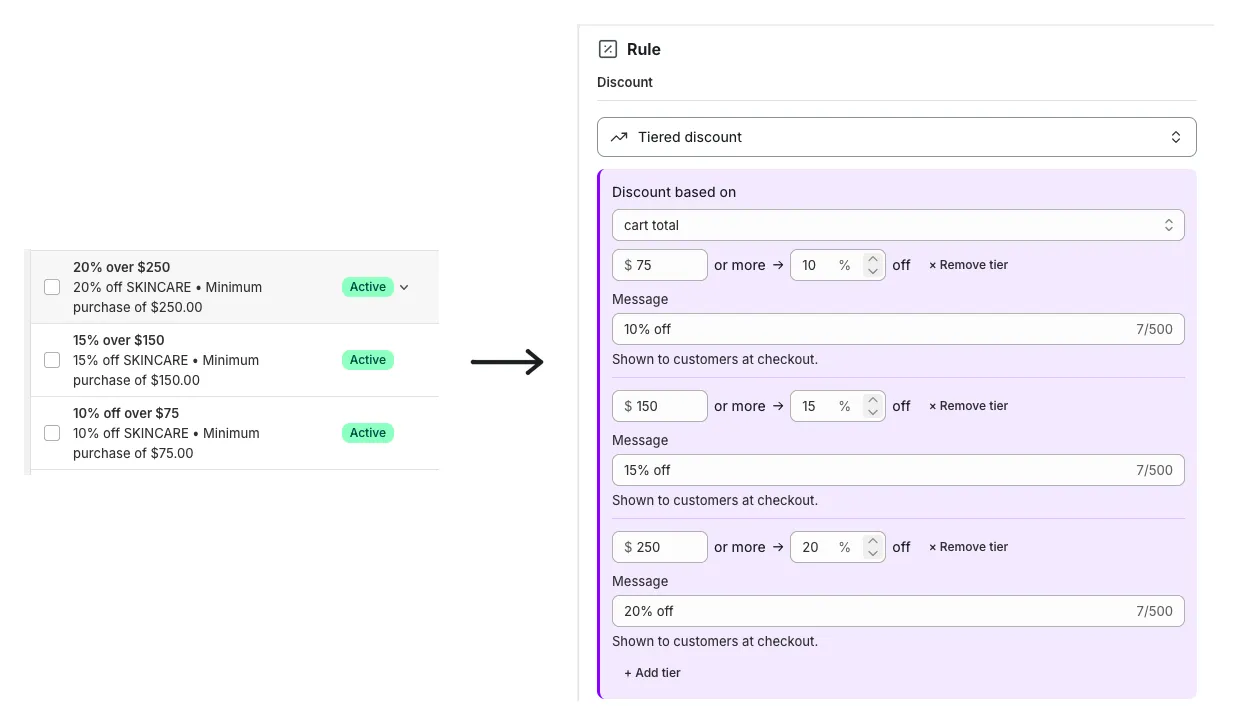
Say skincare didn’t get a flat discount. Say it got 10% off over $75, 15% over $150 and 20% over $250. A discount holds one minimum — those radio buttons are one or the other — so a three-step ladder is three separate discounts.
That multiplies. Three discounts means three sets of Combinations to keep in step, three chances to collide on the same item, and three slots gone from a hard limit — only 25 automatic discounts can be active at once, app-made ones included.
Same story for “VIP, but not on sale items” — Applies to only ever includes. There’s no “everything except” box.
The three ways to rebuild the rest
Everything past that point ends up in a Shopify Function — the replacement Shopify built for Scripts. One fact decides which paths are even open to you:
A custom app containing Functions can only be installed on Shopify Plus. Any plan can install a public app from the App Store that contains them.
Hire a developer. They build you a custom app, and it works well. Freelance Shopify rates commonly run $30–$95 an hour, so one straightforward rule is a few hundred dollars and a set of interlocking ones a few thousand. Afterwards you own an app that somebody has to maintain when Shopify changes the API — and it’s Plus only.
Build it yourself. Honestly, this isn’t an admin job. Functions are written in Rust or JavaScript, compiled, and shipped through the Partner Dashboard; they can’t be created in the Shopify admin at all. Also Plus only.
Install an app from the App Store. Available on every plan, which for most stores makes it the only path that actually exists. Most charge a monthly fee.
And one thing nobody selling you a migration leads with: no tool turns your old Ruby into a working discount for you. Every path on this page is a rebuild by hand. They differ only in whose hand it is — and in how much of the rule you have to write out rather than simply describe.
That last part is what I build for. Rulehop is one of those App Store apps: it holds the whole ladder in a single discount — type “10% off orders over $75, 15% off over $150, 20% off over $250” and it builds it as a real Shopify discount, then lets you try it on a sample cart first: a $70 cart, then an $80 cart, and you see what each pays before anything goes live. Free to start.
What nobody can rebuild for you
Some of what Scripts did can’t be rebuilt by any app, at any price. These are platform limits, not app limits — worth knowing before you go shopping.
Anything that needs the clock. Shopify doesn’t allow a Function to read the current date or time, so “10% off on Tuesdays” or “happy hour, 6–8pm” can’t live inside the rule. Scheduling a whole discount to start and stop still works fine — that’s Active dates.
Anything that has to ask another system. A rule can’t call out to your ERP mid-checkout to look up a credit limit. There’s an enterprise-only exception, but assume it’s closed. The practical way round it: write the number onto the customer as a metafield before they check out, and the rule can read that.
Anything about the customer’s past. The rule sees the cart in front of it, plus that customer’s tags and metafields — not their order history. “Every third order” or “they’ve already used this twice” isn’t something a discount rule can work out on its own.
If your Script did one of these, that’s your answer: it’s a developer, or it’s a change to the offer.
Your totals may not match what the Script did
You can rebuild a rule perfectly and still get a different number out of it.
Scripts worked in sequence — each one changed the price, and the next one saw the reduced price. Native discounts don’t: when two order discounts both take a percentage off, Shopify calculates both from the original subtotal.
On a $100 cart, 10% and 20% used to compound to $72. Rebuilt as two order discounts they come to $70 — 10% of $100 plus 20% of $100, not 20% of $90. Small on one order, not small across a season, and nobody chose it.
The fix is the order things apply in: product discounts first, then order discounts on what’s left, then shipping. Make one of the pair a product discount and leave the other an order discount, and the old sequence comes back.
Before you trust it: the 2-minute test
Whatever you rebuilt, prove it before you announce it. Never test while signed in as yourself — admin accounts and tagged accounts don’t see what shoppers see.
- Open a private window. Don’t sign in.
- Build a cart that should qualify — for the rule above, one skincare item.
- Go to checkout, enter the email of a customer tagged VIP, and watch for the discount.
- Now build the same cart again and enter the email of a customer who isn’t tagged.
You should see: ✓ the discount on the first cart, at the amount you intended · ✕ nothing on the second, because it doesn’t qualify.
If you still have June orders, build one of those carts instead and check the total lands where it used to. That’s the only way to catch the change described above.
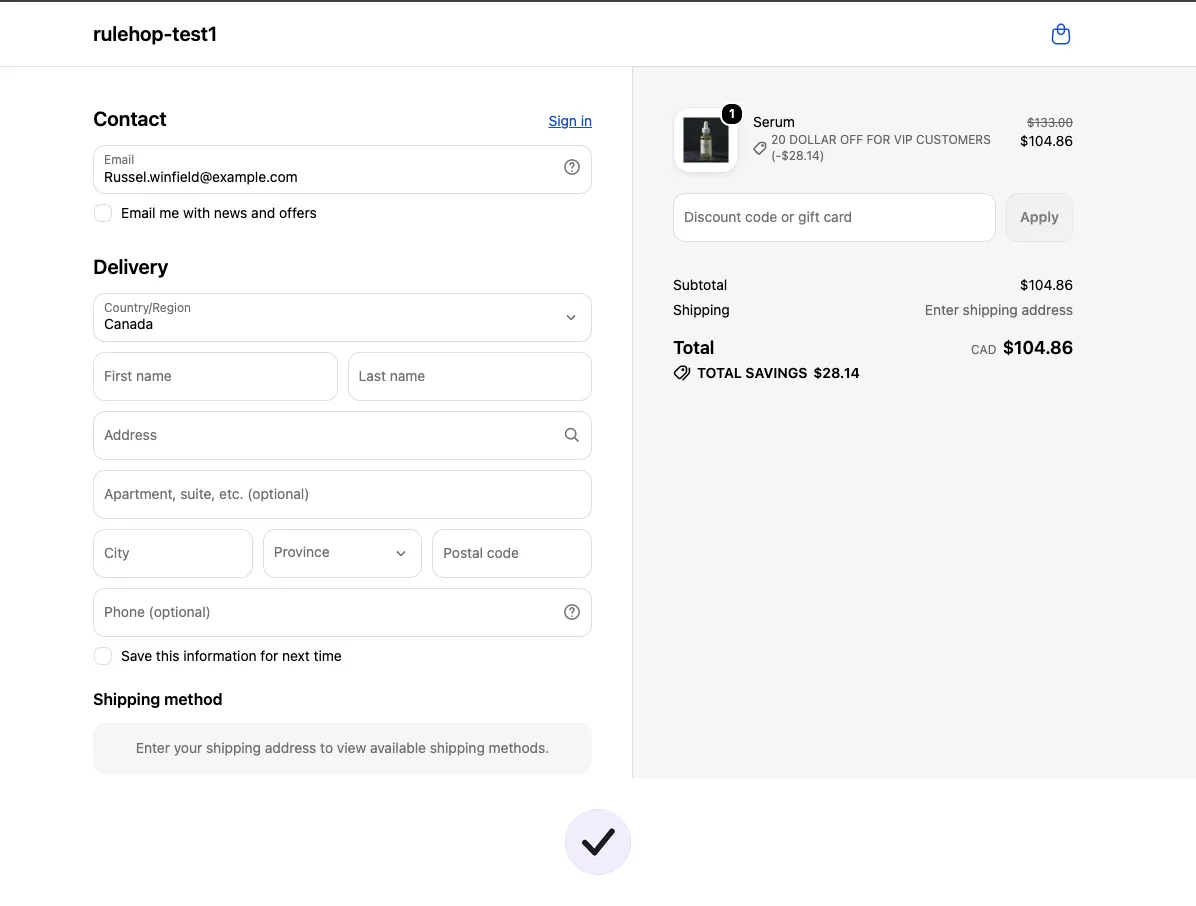
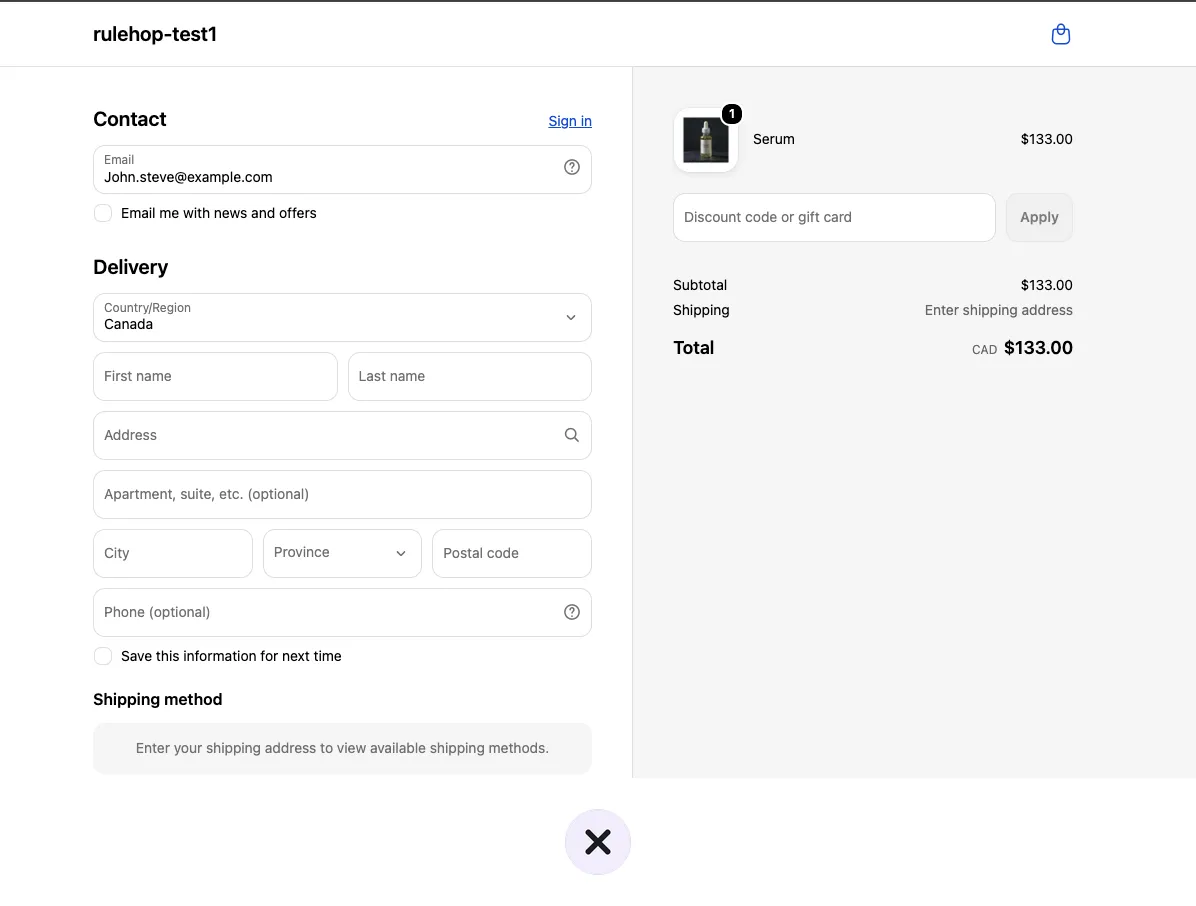
If the second cart still gets a discount, something is broader than you meant — the expensive direction to be wrong in. Re-read Eligibility and Minimum purchase requirements. Two minutes here is what stops the next two months costing what the last two did.
FAQ
Can I still see my old Scripts? Only if the Script Editor app is still on your store, and only to read — no editing since 15 April 2026. The app has been withdrawn and can’t be reinstalled, so don’t count on it: rebuild the list from your June orders instead, as above. If you do still have it, export the customizations report to CSV while you can.
Is there anything that converts my Ruby into a Function automatically? No. Every route — a developer, an app, or writing it yourself — is a rebuild from the rule, not a translation from the code. That’s why step one is describing what each Script did in a plain sentence.
My store is on Basic or Shopify, not Plus. What do I do? If you never had the Script Editor app, nothing broke on 30 June — you’re most likely here because an answer you found online told you to use a Script. Everything above about native discounts applies to you exactly the same, and for the conditional rules you’d install an App Store app. Custom Functions apps are the Plus-only part.
Are “Shopify Scripts” the same as “script tags”? No, and the names cause real confusion. Script tags are a separate thing that loads JavaScript on your storefront, on a different timetable — they stop running on 1 March 2027. If your question is about discounts, you’re in the right place.
How do I know when I’m finished? Work back through the list you wrote in step one and check every sentence on it now happens in a real cart. That’s the whole job — nothing on your list left untested.